
Complete Duplicate Deal Management for HubSpot
From duplicate detection to bulk merging and merge tracking, Deal Duplicate Finder helps CRM teams keep deal records accurate, organized, and easier to manage.
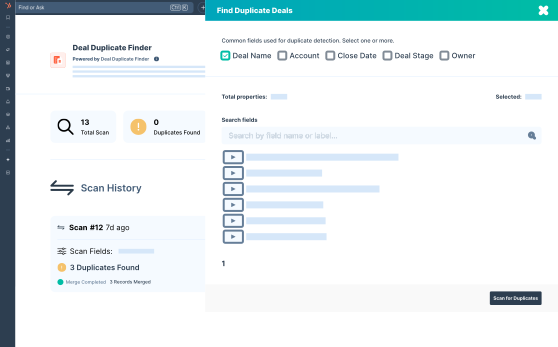
Create Matching Rules That Fit Your CRM Data
Choose which deal properties should be compared when searching for duplicates. Deal Duplicate Finder helps you identify matching records more accurately by using multiple fields together instead of relying on a single value.
-
Match on Deal Name, Amount, Company, or any custom property

-
Multi-field AND logic: all selected fields must match
-
Full database scan via HubSpot Export API
-
Intelligent duplicate grouping before review
Review Every Duplicate Group Before Merging
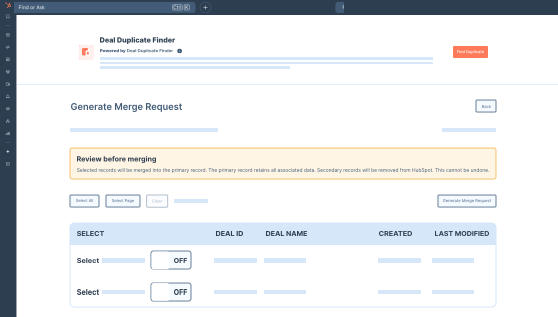
See all grouped duplicate records in one place and decide how they should be merged. Select the primary deal, review field values, and merge records with better control over your CRM data.
-
Group-by-group review interface
-
Select individual records or select all
-
Primary record designation
-
Batch merge with one click
-
Sequential merging within groups for data integrity
Run Duplicate Scans Without Interrupting Work
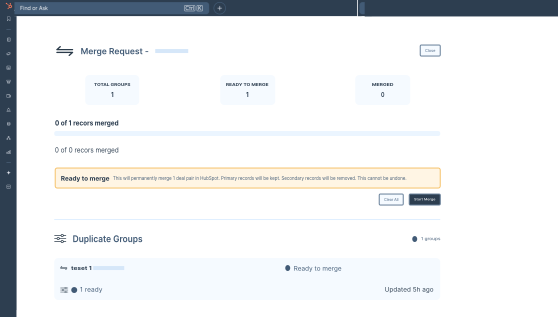
Scanning thousands of deal records takes time, but it does not have to slow you down. Once you start a scan, the entire process runs in the background, keeping your HubSpot account fully usable throughout.
-
Celery-powered background job processing
-
Real-time status updates: Pending, Processing, Complete
-
Non-blocking: continue using HubSpot while scanning
-
Merge operations run in parallel batches
Track Every Merge Activity With Detailed Logs
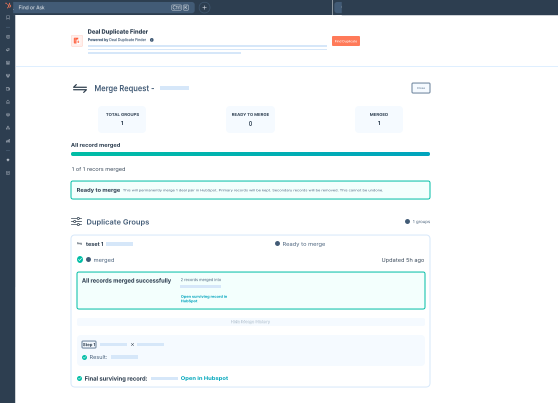
Every merge operation is permanently recorded. You can see which records were merged, when the merge ran, what the HubSpot API returned, and whether it succeeded or failed, along with the full error details.
-
Full merge history with timestamps
-
Status tracking: Pending, Processing, Merged, Failed
-
HubSpot API response stored per merge record
-
One-click retry for failed merges
Additional Features That Simplify Deal Duplicate Cleanup

Secure OAuth HubSpot Login
Deal Duplicate Finder uses HubSpot’s OAuth 2.0 flow, so you can connect your HubSpot easily in just one click.

Retry Failed Merges
Retry failed merges individually or in bulk when temporary processing or API issues occur during large merge

>Export Duplicate Records
Download duplicate deal groups as a CSV file for reporting, internal review, or backup before merging records.

Match on Any Deal Property
Use both standard and custom HubSpot deal properties when creating duplicate matching rules for your CRM.

Live Scan and Merge Status
See the full API response for every merge - primary record ID, merged ID, and all returned fields included.

View Merge Response Details
Review merge responses, merged deal IDs, timestamps, and processing details for every completed merge action.
See These Features in Action Inside
Your HubSpot Account
Install Deal Duplicate Finder for free, run your first scan, and see exactly how many duplicate deals are sitting in your pipeline right now.
*Free to install. No credit card required.